Cobalt Photo opens 43 picture formats — photos, RAW, Photoshop, icons, SVG, JPEG XL — finds any shot by date, place or camera, edits it, and saves it to any of 13 formats, by the hundred. The viewer is free. Forever.
Photoshop files without Photoshop. JPEG XL without a plugin. RAW straight off the card. Cobalt Photo reads them itself — Windows doesn’t have to.


A 360° shot opens from the inside: drag to look around, scroll to look closer, the compass shows where you face. Panoramas fill the height, with a mini-map of the whole strip under them.


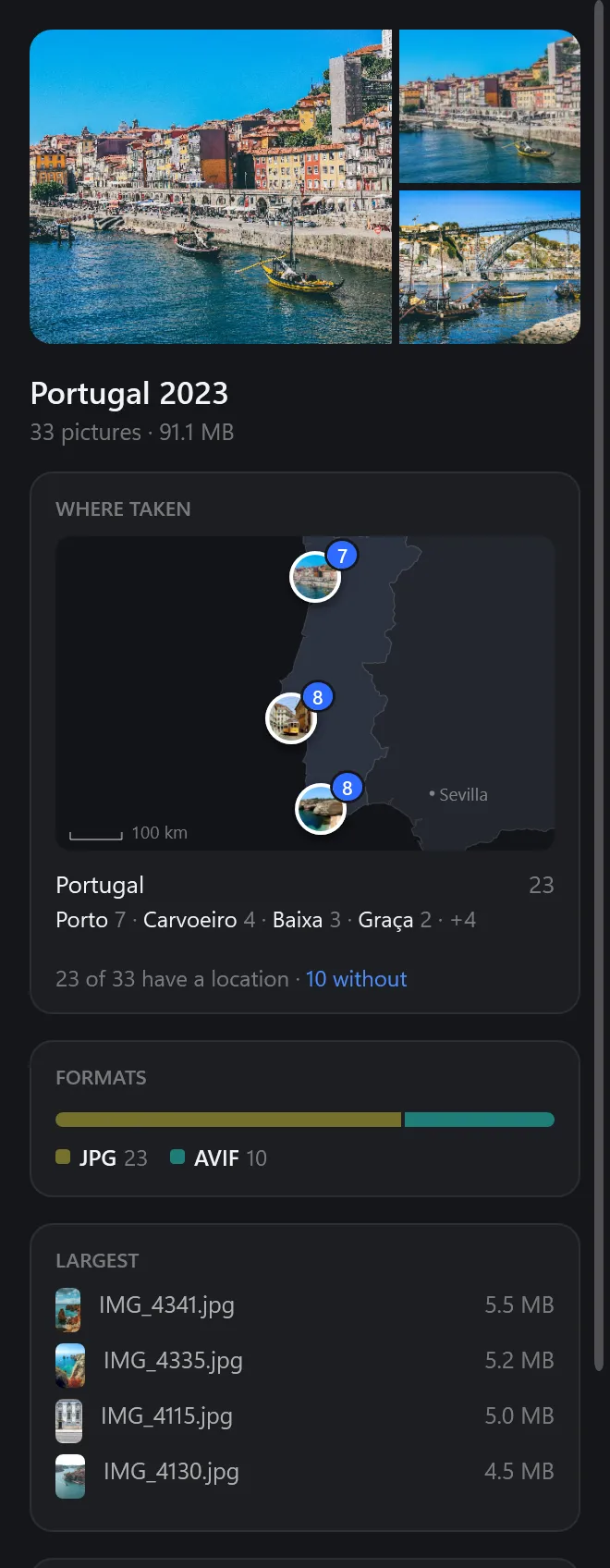
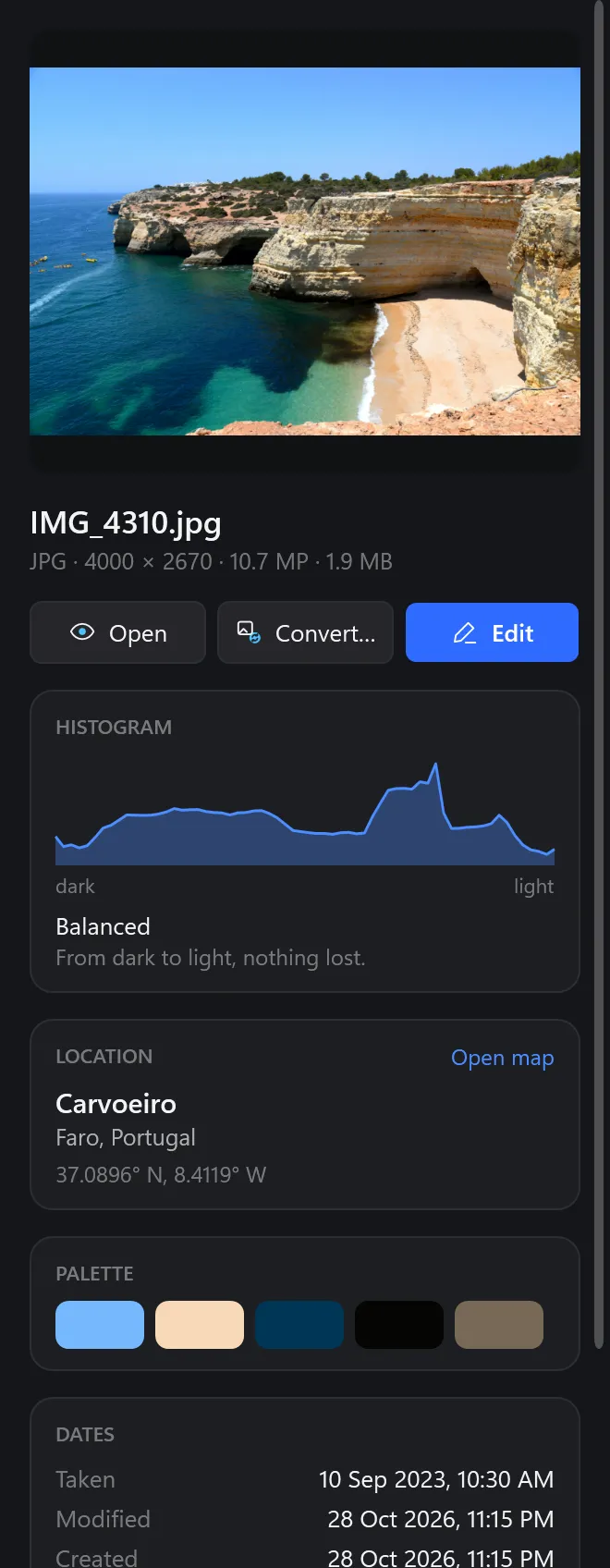
Folders, drives and cloud folders on the left, the thumbnails in the middle, everything about the picture on the right — its light, its colours, where and when it was taken. Open one, and the full viewer opens right there.
Type it the way you remember it. Every word turns into a chip you can change, and the thumbnails follow as you type.
in:lisbon → 8in:lisbon orient:portrait → 3Open a folder of trip photos and its map draws itself: every place with its pictures and how many. Click a place and you’re looking at just those.


See the camera’s preview the moment a card is open. Zoom in, and the shot is developed from the sensor data — highlights pulled back, colours as the camera meant them.
Paint over what doesn’t belong and it fills in from around it. Then crop, light, colour, curves — all in 16 bits, saved as a copy or over the original with Undo.
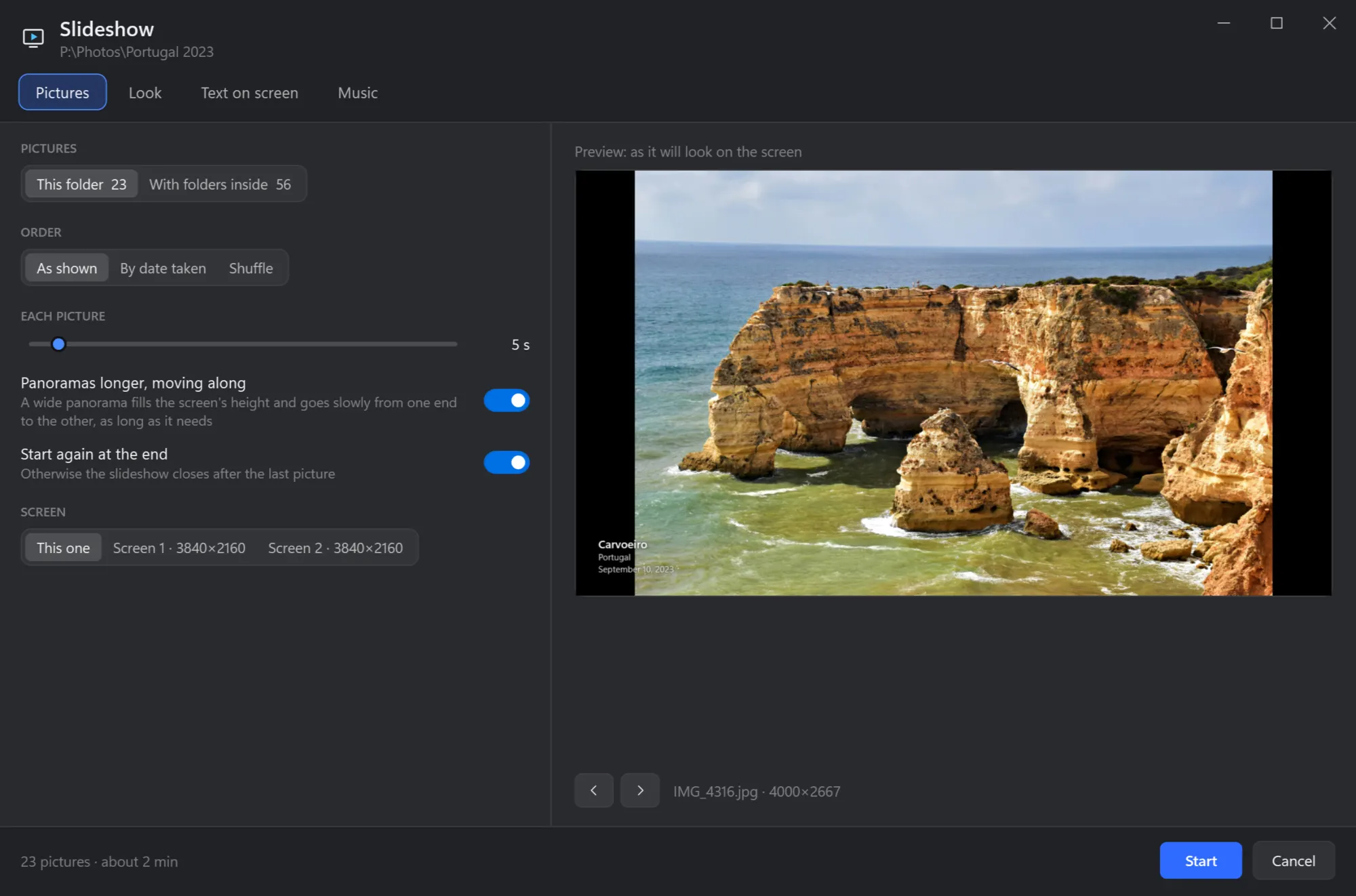
Pick one transition or let them take turns. Add your own music, choose the facts on screen, show two photos side by side or a wall of prints — on whichever monitor you like.

Drop a folder, pick a format, done. AVIF and JPEG XL keep the picture as it is at a fraction of the size — and the location is left out of the copies.
Shots taken within a second of each other become a series. Cobalt Photo tells you which is sharpest, you press X on the misses, and Done sends them to a folder or the Recycle Bin.
The files other viewers show as a blank square.
ICO, CUR and macOS ICNS: each size in a row, saved as PNG one by one or all at once.

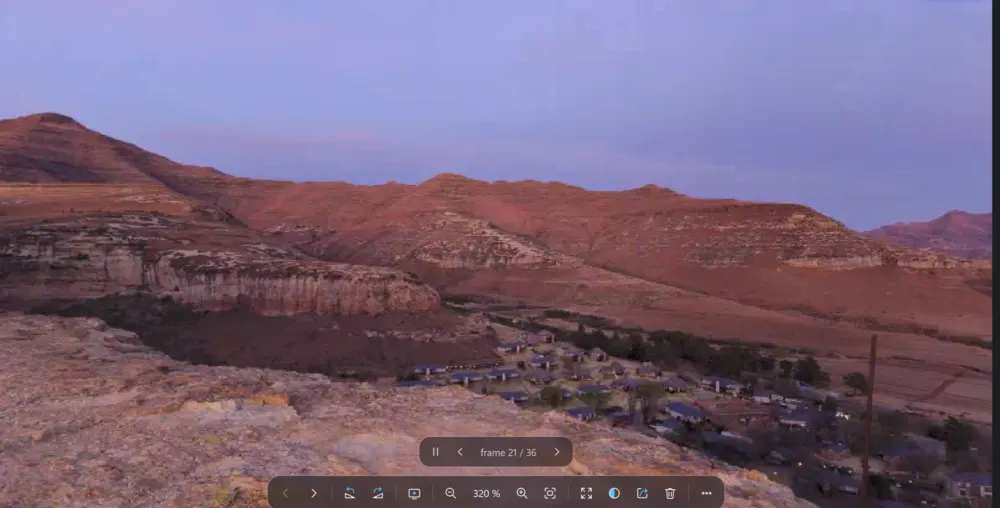
GIF, animated WebP, APNG and animated cursors — pause, step frame by frame, save a frame.

Drawn as vectors, not pixels — zoom in as far as you like and the edges stay clean.
PSD, PSB, KRA and ORA as their finished picture, plus TGA from games and 3D.
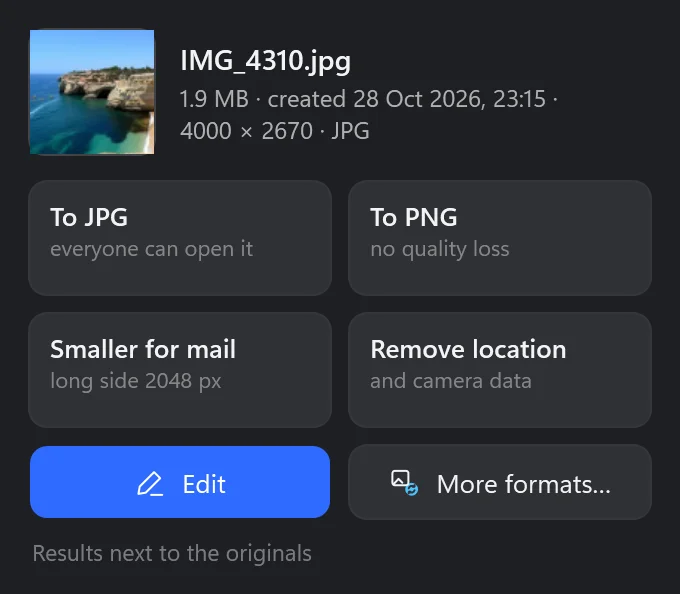
Right-click pictures in Explorer, or drop them on the shelf that slides in at the edge of the screen. Converted, shrunk for mail or cleaned of their location — next to the originals, which stay untouched.
IMG_4101.jpg
IMG_4137.jpg
IMG_4210.jpg
IMG_4245.jpg
IMG_4310.jpg
IMG_4316.jpg
Native Windows code, every core put to work, nothing waiting on a server.
It is read while you look at this one.
On screen at once, the full picture read behind it.
A full-frame shot saved in a modern format.
11 cameras’ shots developed in 11.3 s instead of 26.2.
Nine RAW files to JPG in 7.3 s instead of 28.3.
Thumbnails are kept; cloud files are never downloaded just to show them.
One plan, everything in it, no extras to buy. Try all of Pro for 14 days — no card, nothing to cancel.
Yes, with no time limit and no ads. Open any picture, go through the folder, zoom, rotate, print, share. Pro adds the library, the editor, Convert, RAW development and the rest.
Pro windows tell you how many days are left. When the trial ends they ask you to subscribe; the viewer keeps working as before. Nothing is charged unless you subscribe in Microsoft Store.
In your Microsoft account, under Services & subscriptions — any time. Pro works until the end of the period you paid for.
Because the other 30 are made by something else. RAW is what a camera writes from its sensor; Photoshop, Krita and OpenRaster files are an editor’s own documents with layers; ICNS, cursors and SVG are made by the tools that draw them. Cobalt Photo opens all of them and saves what you need from them: JPG, PNG, WebP, AVIF, HEIC, JPEG XL, TIFF and the rest.
No. Cobalt Photo works with the files on your PC and in your Dropbox, OneDrive, Google Drive or iCloud folders. Places are named from data inside the app, without the internet.
Yes — choose Cobalt Photo Viewer once in Windows’ Default apps, and a double click opens pictures in it.